You’ll assemble your Shark steam cleaner by aligning the pole with arrow symbols and clicking it into the mop head. Fill the water tank with distilled water only, then press the Steam Control Button to activate your desired steam level. Allow thirty seconds for warm-up, then move the mop in consistent forward-and-backward strokes across your floor. The rotating pads deliver 150 scrubs per minute, so maintain steady pressure and let the equipment handle the work. For stubborn stains, position the steam blaster two to four inches away and hold the trigger longer for deeper penetration. There’s considerably more technique to maximize your results.
Assemble and Attach Dirt Grip Pads
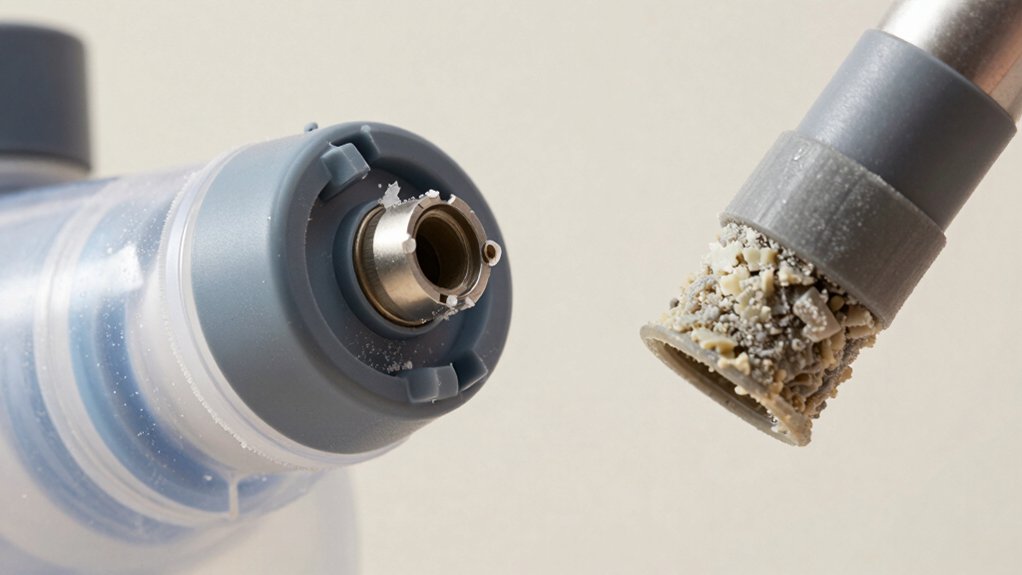
Before you’ll need to assemble your Shark Steam Cleaner and attach the Dirt Grip pads. Start by aligning the mop handle and pole with arrow symbols facing forward, then insert the pole into the handle until it clicks securely. Next, align the assembled pole with your steam mop body, keeping arrows forward, and insert the pole into the top until it clicks into place.
You’ll find multiple attachment methods for your premium pad materials. With Method 1, place the Dirt Grip pad on the floor with quick fastener strips facing up, align your mop head directly over it, and press down firmly. Method 2 requires laying the unit down, aligning the plastic ring on pads with the indent on your nozzle, then pressing firmly to secure. For Genius heads, spread the pad with the pocket side up, press the release button, and close the head by pressing its sides to the floor until it clicks. Ensure the Dirt Grip cleaning pad is positioned correctly before proceeding to fill your water tank with clean water to prepare the unit for heating. Different Shark steam mop models offer varying tank capacity options to suit your specific cleaning needs and home size. After use, store your mop pads separately in a dry, well-ventilated area to prevent mildew and extend their lifespan.
Fill the Water Tank With Distilled Water
Now that you’ve assembled your Shark Steam Cleaner and secured the Dirt Grip pads, you’ll need to fill the water tank before you can start cleaning. First, unplug the unit and allow it to cool for 2–3 minutes if recently used. Locate and lift the water tank away from the mop body, then twist the cap counterclockwise to open it fully.
Using the provided filling flask, pour distilled water into the tank up to the maximum fill line. Distilled water helps maintain steam quality and extends your mop’s lifespan by reducing mineral buildup. If distilled water isn’t available, tap water works as a substitute. Once filled, replace and tighten the cap clockwise until secure. Slide the tank down until it clicks into place, then verify no leaks exist before plugging in your unit. Avoid risk of electric shock by ensuring the mop remains unplugged until all assembly and water filling steps are complete. Never add cleaning solutions or chemicals to your steam mop, as adding cleaning solutions can damage internal components and void your warranty. To ensure optimal performance, descale the unit periodically to remove mineral deposits that accumulate over time. Proper maintenance such as regularly changing microfiber pads will help extend your mop’s lifespan and maintain optimal cleaning performance. Replace water tank as needed throughout your cleaning sessions.
Activate Steam Mode and Let the Unit Warm Up
Once you’ve filled the water tank and secured it into place, you’re ready to activate your Shark Steam Cleaner. Press the Steam Control Button to select your desired steam level—once for low, twice for high. You’ll notice the indicator light below the button moves from blinking to constant, signaling the unit’s warming phase. Allow 30 seconds for the unit to heat up completely. You’ll hear soft hissing sounds as steam builds internally. Once the light shines steadily, steam’s ready for use. Check water level before starting to maintain consistent steam production. The rotating pads on the mop head will help tackle stubborn stains while you’re steaming. For enhanced scrubbing performance, consider using replacement brush heads specifically designed for your Shark model to ensure optimal cleaning results. The roomy water tank provides 15+ minutes of steaming for extended cleaning sessions without frequent refilling. To remove pads quickly and efficiently, take advantage of the Touch-Free Technology that allows you to swap out cleaning pads without touching dirt or grime. Press the Steam Button on the mop body to activate steam and control steam output. The blue light will stop blinking and glow steadily, confirming you’re ready to begin cleaning.
Perfect Your Forward-and-Backward Mopping Motion
With the Shark Steam Cleaner warmed up and ready, you’ll want to master the proper technique that maximizes cleaning power while protecting your flooring. Move the mop in consistent forward and backward strokes across the floor surface, maintaining a steady tempo throughout. Apply consistent pressure with each stroke to guarantee uniform cleaning coverage across your floors.
Remember that the rotating pads deliver over 150 scrubs per minute, so you don’t need to apply excessive downward force. Let the equipment handle the scrubbing action independently. Continue slow, deliberate movements to allow the steam and spinning pads adequate contact time with the floor. The device’s self-cleaning brushroll automatically removes debris from the pads, so you can maintain consistent cleaning performance throughout your session. The three adjustable steam modes allow you to customize your cleaning intensity based on your floor type and the level of soiling. This approach prevents water pooling and ensures even steam distribution across your cleaning area, delivering ideal results without damaging your surfaces. For optimal sanitizing results, move the mop slowly and evenly over all areas you want to clean and protect. The chemical-free steam cleaning process kills germs and bacteria without harsh chemicals that could damage laminate or sealed wood floors.
Use the Steam Blaster for Stubborn Stains
Your Shark Steam Cleaner’s steam blaster becomes your best tool when stubborn stains resist standard mopping. Position the nozzle 2-4 inches from the targeted area, directing steam straight at the stain. Regulate blaster duration by holding the trigger longer for tougher messes, then waiting 5 seconds for steam penetration. Select Deep mode for stuck-on debris and heavy grime, as Light and Normal modes won’t suffice for difficult stains.
Prioritize stain severity when choosing your approach. After steam penetrates, tilt your handle to activate the rotating power pads at 150 rotations per minute, lifting away loosened grime. Release the trigger between blasts to control output. Repeat the blasting and scrubbing cycles until the stain disappears completely. For additional cleaning power on the most resistant stains, use the dual-sided microfiber pads after the steam blast to ensure complete removal. To maintain peak performance, remember to clean the pads regularly by hand washing or machine washing to remove debris and hair buildup.
Boost Cleaning Power With the Power Pads Feature
The power pads transform your Shark Steam Cleaner into a dual-action cleaning machine that tackles stubborn stains far more effectively than steam alone. Rotating at 150 RPM, these pads deliver up to 2X better stuck-on stain removal compared to traditional mops, and up to 3X better results when combined with steam.
To maximize performance, monitor pad condition regularly and replace worn pads promptly. Official Shark Steam Pocket Pads are machine washable and designed for durability and superior cleaning performance. You’ll notice the gray sections provide coarser scrubbing texture for heavily soiled areas. For best results, use gentle detergent without fabric softener when washing your pads to maintain their microfiber effectiveness. To prevent mold and mildew growth, allow all components to dry completely before storage. Adjust scrubbing speed by selecting from three steam modes—Light, Normal, or Deep—depending on your floor’s needs and mess severity.
The machine washable pads guarantee you’re always prepared with fresh cleaning surfaces. Combined with the 1120W power and 350ml water capacity, your cleaner becomes a professional-grade solution for sealed hard floors. The two sets of cleaning pads included with your purchase provide immediate backup options for continuous cleaning without interruption.
Sanitize Hard Floors in Three Minutes
While sanitizing hard floors traditionally requires chemical solutions, Shark’s steam-only technology removes 99.9% of bacteria in just three minutes without any harsh additives. You’ll appreciate the time saving benefits—the steamer reaches perfect/ideal temperature in seconds, allowing you to start immediately.
Your chemical free sanitization process is straightforward. Pre-clean by sweeping or vacuuming debris, then fill the water tank. Select your desired steam mode based on your floor’s condition. The rotating pads deliver over 150 scrubs per minute, effectively lifting bacteria layers and residue from sealed hardwood, marble, tile, and stone surfaces. Before using your steam mop, verify that your flooring is properly sealed hard surfaces to prevent moisture damage. These mops feature multiple steam modes including light, medium, and deep settings for different cleaning needs. The machine-washable pads can be reused multiple times, reducing replacement costs and waste. The lightweight design and 18-foot cord make it easy to maneuver around your home without frequent repositioning.
Apply light pressure and work systematically across your floors. For stubborn spots, use the Steam Blaster feature for targeted heat. Your floors dry within 15 minutes, leaving them sanitized and refreshed without chemical exposure or harsh fumes.
Let Your Mop Cool Before Removing Pads
Before you remove the pads, it’s essential that you let your Shark steam mop cool completely to prevent burns from hot components or escaping steam. Keep the mop in an upright position during the entire cooling phase to facilitate proper heat dissipation and allow residual steam to release safely.
Careful temperature monitoring guarantees all internal components reach safe handling temperatures. Avoid laying the mop flat, as this creates dangerous steam pockets that prolong cooling time and increase burn risks. Before beginning any disassembly work, disconnect the mop from the power supply to ensure your safety throughout the cooling and pad removal process.
Once fully cooled, press the release button on the mop’s back. Both sides of the Genius Mop Head drop open automatically, allowing pads to detach without direct contact with hot surfaces. This design prevents injury while confirming clean pad removal after temperature normalization.
Empty the Tank and Store Your Mop
After you’ve finished mopping and allowed the steam to release for 2–3 minutes, you’ll want to empty your water tank and properly store your Shark mop. First, unplug the unit and pull down the tank lid. Pour remaining water into a sink or bathtub, then hold the unit beside the sink and lean it to drain completely. Tilt the mop upside down to empty the boiler of water and scale deposits.
For tank maintenance, rinse the tank if scale’s present, then dry all components thoroughly before reassembly. Close the tank lid firmly. Allow the unit to cool down for 5 minutes before storing to ensure safe handling and prevent burns. Store your mop by hanging it by the handle on a large hook in an upright position. Guarantee all water drains completely to prevent mold growth. Keep your filling flask clipped to the handle pole for convenient access during your next cleaning session.